
π RuView: WiFi DensePose turns commodity WiFi signals into real-time human pose estimation, vital sign monitoring, and presence detection — all without a single pixel of video.
📖 README
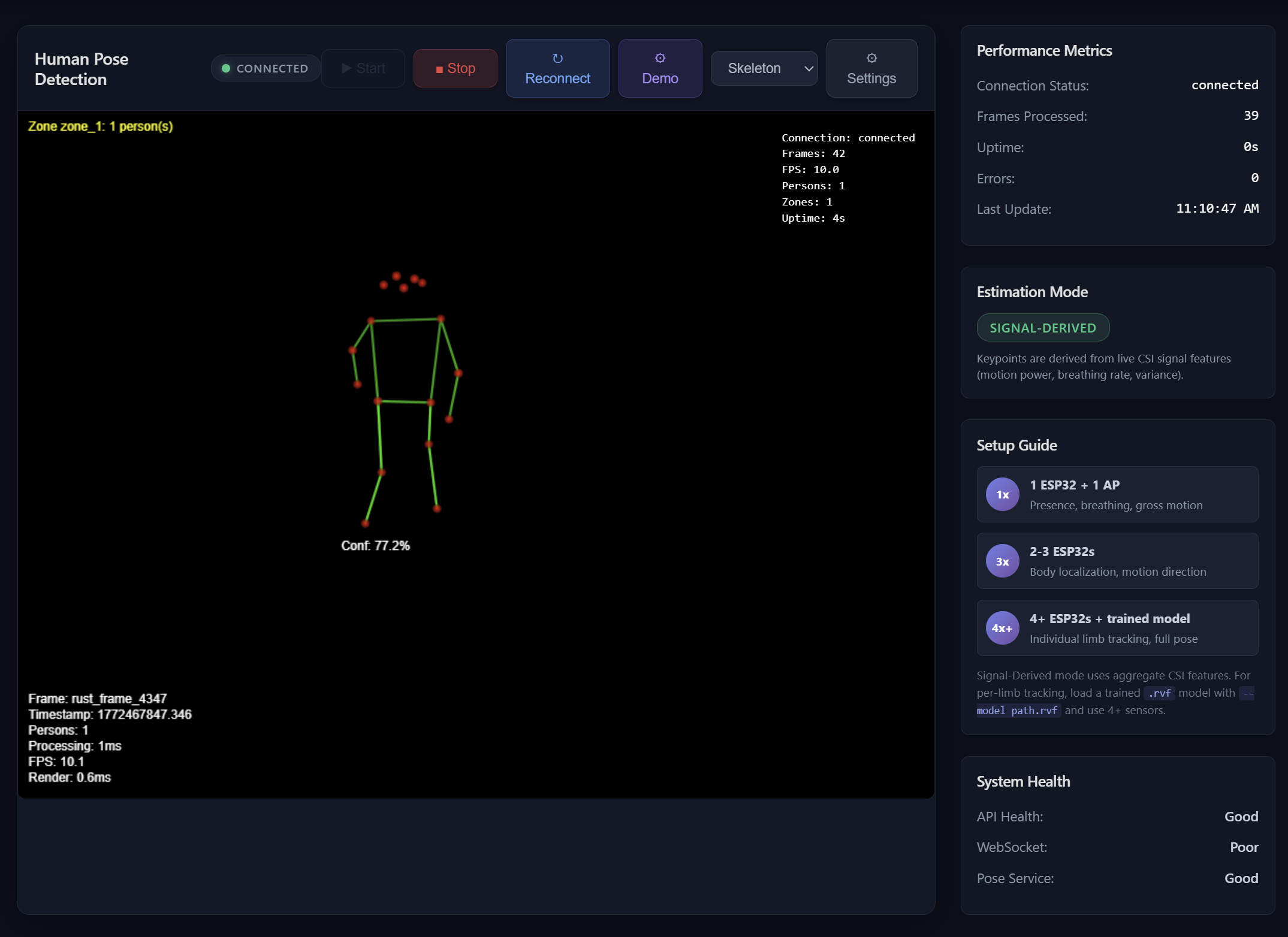
π RuViewSee through walls with WiFi. No cameras. No wearables. No Internet. Just radio waves.WiFi DensePose turns commodity WiFi signals into real-time human pose estimation, vital sign monitoring, and presence detection — all without a single pixel of video. By analyzing Channel State Information (CSI) disturbances caused by human movement, the system reconstructs body position, breathing rate, and heartbeat using physics-based signal processing and machine learning. Edge modules are small programs that run directly on the ESP32 sensor — no internet needed, no cloud fees, instant response.[](https://www.rust-lang.org/)
[](https://opensource.org/licenses/MIT)
[](https://github.com/ruvnet/wifi-densepose)
[](https://hub.docker.com/r/ruvnet/wifi-densepose)
[](vital-sign-detection)
[](esp32-s3-hardware-pipeline)
[](https://crates.io/crates/wifi-densepose-ruvector)
> | What | How | Speed |
> |------|-----|-------|
> | Pose estimation | CSI subcarrier amplitude/phase → DensePose UV maps | 54...
📊 Project Info
- Language
- Rust
- Stars
- ⭐ 25,199
- Forks
- 3,104
- Today
- +4,419
- Ranking
- #1
- Collection
- Overall
- Trending Date
- March 3, 2026
- Last Push
- 3/3/2026
🏷️ Topics
agentic-aidenseposeesp32firmwaremcumincutmonitoringpose-estimationrfselfself-learningwifiwifi-hackingwifi-security
📸 Screenshots
5分钟快速开始RuView
RuView是一个基于Rust的WiFi感知项目,无需摄像头即可实时检测人体姿态和生命体征。
🖥️ OS
macOSWindowsLinux
⚙️ Runtime
Docker最新版
🔧 Tools
Docker CLI— 运行容器化应用
📝 Steps
1
安装Docker
确保系统已安装Docker,用于快速运行RuView。
检查Docker是否安装
$ docker --version✓Expected: 显示Docker版本号,如Docker version 20.10.0
💡如果未安装,请从Docker官网下载并安装。
2
拉取RuView Docker镜像
从Docker Hub拉取最新RuView镜像,无需编译。
拉取镜像
$ docker pull ruvnet/wifi-densepose:latest✓Expected: 下载进度条,最后显示Status: Downloaded newer image for ruvnet/wifi-densepose:latest
💡网络慢时可能需要几分钟,确保Docker服务运行中。
3
运行RuView容器
启动容器以运行RuView,模拟WiFi感知。
运行容器
$ docker run -it --rm ruvnet/wifi-densepose:latest✓Expected: 容器启动日志,可能包括初始化消息或模拟数据输出。
💡使用-it参数以交互模式运行,--rm参数在退出后自动删除容器。
✅ 验证成功
容器运行后,应看到输出日志,表示RuView正在运行。
- ✓容器启动无错误
- ✓输出日志包含初始化或模拟数据
⚡ Quick Tips
硬件无硬件时,使用Docker快速体验基本功能。
故障排除确保Docker有足够权限,避免权限错误。
🔍 Troubleshooting
❓ Docker命令报错Permission denied
→ 以管理员或sudo权限运行,或添加用户到docker组。
❓ 拉取镜像超时
→ 检查网络连接,或使用镜像加速器。
❓ 容器启动后立即退出
→ 检查Docker日志:docker logs <container_id>,确保镜像完整。
🎯 Next Steps
1
查看用户指南
访问项目文档以了解硬件设置和API使用。
2
尝试ESP32部署
如有ESP32-S3硬件,可编译固件进行真实WiFi感知。